From Private to Public: How to Build Custom GPTs Anyone Can Use (Step-by-Step)
- Mike B.
- Nov 21, 2025
- 7 min read
Updated: Dec 2, 2025

Transform Your AI Expertise into Shareable Tools with Custom GPTs
Learn how to create shareable Custom GPTs in ChatGPT that turn your AI expertise into tools others can use, without writing a single line of code.
Remember when we built those AI Projects that saved you hours every week? Now imagine if other people could use what you built.
That's exactly what Custom GPTs let you do. They're the natural next step after Projects. Projects are private workspaces for your own use. Custom GPTs are standalone tools you can share with anyone.
I've been building customGPTs for non-technical users, and here's what I've learned: The same thinking that makes good software makes good Custom GPTs. Work backwards from what people need. Build something focused. Make it reusable.
In this article, I'm going to show you how to turn your expertise into tools others can use. Still no coding required.
What Are Custom GPTs? (And How They're Different from Projects)
Let's clear this up first. Projects are private workspaces. You build them for yourself. They remember your preferences, your files, your context. Nobody else can see them.
Custom GPTs are different. They're standalone tools you build once and share with anyone. Think of it like this: Projects are your personal workshop. Custom GPTs are tools you build in that workshop that you can hand to other people.
What makes Custom GPTs powerful:
Shareable via link
Can be published to the GPT Store
Users don't need to understand your instructions
Works like a specialized app within ChatGPT
Others just click and use it
When should you use which? Simple decision: If it's just for you, use a Project. If others need it, build a Custom GPT.
Use Projects when you have personal workflows, private information, or stuff that changes frequently. Use Custom GPTs when you want to share with team members, you've solved a problem others have, or you need something repeatable for clients.
When Should You Build a Custom GPT Instead of Using a Project?
Here's my approach: Work backwards. Start with the question "Who else needs this?"
Build a Custom GPT when:
Your team keeps asking you the same questions
You've solved a problem that others struggle with
You want to package your expertise
You need something repeatable for clients
The instructions don't contain private information
Stick with Projects when:
It's just for you
Contains personal or company data
Needs frequent instruction changes
Requires uploaded private files
You're still figuring out what works
Trust your instincts. If you find yourself explaining the same process to multiple people, that's a signal. Build a Custom GPT.
Your First Custom GPT: A Step-by-Step Walkthrough
Let's build something practical. I'm going to show you how to create a "Meeting Agenda Creator" that anyone on your team can use.
My approach: Know what you want it to do, then build the instructions. Software is 90% thinking and 10% typing. Same principle applies here.
Step 1: Access the GPT Builder
You need ChatGPT Plus ($20/month). Go to chatgpt.com/create or click "Explore GPTs" then "Create."
You'll see a split screen. Left side is the Create tab. Right side shows your preview. This is where the magic happens.
Step 2: Use the Create Tab (The Easy Way)
Chat with the GPT Builder naturally. Tell it what you want: "I need a tool that helps teams create focused meeting agendas."
The Builder asks clarifying questions. You answer them. The preview updates in real-time on the right side. Keep refining through conversation.
This is perfect if you're new to this. The Builder does the heavy lifting.
Step 3: Or Use the Configure Tab (More Control)
I prefer this method. It gives me precision.
Click "Configure" at the top. You get direct access to all settings:
Name and description
Custom instructions (just like Projects)
Conversation starters (helpful prompts for users)
Knowledge files
Capabilities (web search, image generation, code interpreter)
Write your instructions using the Role + Task formula we learned in previous articles. Here's an example:
You are a meeting efficiency expert. Your job is to help teams create focused, actionable meeting agendas. CONTEXT: Most meetings waste time because agendas are either missing or poorly structured. You help fix that. YOUR PROCESS: 1. Ask the user: meeting purpose, attendees, time limit 2. Create a structured agenda with: - Clear objectives - Time blocks for each topic - Designated speakers - Expected outcomes 3. Include 5-minute buffer time 4. Suggest pre-work if needed CONSTRAINTS: - Keep agendas realistic (don't overpack) - Maximum 1 hour for standard meetings - Always include time for Q&A - Format for easy copy/paste into calendar invites TONE: Professional but practical. No corporate jargon. |
Step 4: Add Conversation Starters
These are pre-written prompts users can click. They solve the "blank page" problem.
Examples:
"Create a weekly team standup agenda"
"Plan a project kickoff meeting"
"Build a 30-minute client check-in agenda"
Include three to five starters. Test them yourself first.
Step 5: Test It Yourself
Use the Preview panel on the right. Try different scenarios. Check if outputs match your expectations.
Trust but verify. AI is helpful, but not perfect. Refine your instructions based on what you see.
Step 6: Choose Sharing Settings
Three options:
Only me (private testing)
Anyone with a link (share with specific people)
Public (anyone can find it, submittable to GPT Store)
Start with "Only me" for testing. Expand sharing once it works well.
Step 7: Save and Share
Click "Save" button. Copy the link. Share it with your team.
They can use it without seeing your instructions. That's the point. You built the tool. They just use it.
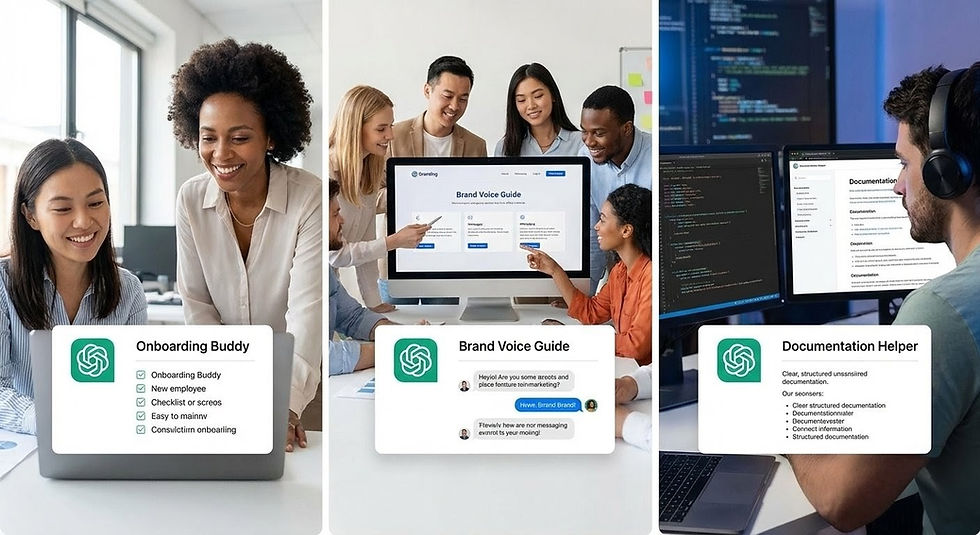
Real-World Examples: 3 Custom GPTs Worth Building
Here are three Custom GPTs I've built or that my clients use daily. These solve real problems and are simple enough for beginners.
Example 1: The Onboarding Buddy
What it does: Answers common new employee questions about company policies, benefits, and first-week logistics.
Who needs it: HR teams, small businesses with regular new hires.
Custom instructions: Include company policies, benefits overview, first-week tasks, org structure, office logistics.
Knowledge files: Employee handbook, benefits guide, office map, FAQ document.
Why it works: New hires get instant answers without bothering the team. HR isn't answering the same questions repeatedly.
Time saved: Five to ten hours per new hire for HR staff.
Update note: Refresh quarterly when policies change.
Example 2: The Brand Voice Guide
What it does: Writes marketing content that matches your brand voice exactly.
Who needs it: Marketing teams, content creators, agencies managing multiple brands.
Custom instructions: Brand voice attributes (professional but warm, direct not corporate), do's and don'ts, target audience description, key messaging pillars.
Knowledge files: Ten to fifteen examples of on-brand content, style guide, competitor comparison showing what to avoid.
Why it works: Maintains consistency across team members and freelancers. No more brand voice drift.
Pro tip: Include specific examples of what NOT to say. Negative examples are just as valuable as positive ones.
Example 3: The Technical Documentation Helper
What it does: Turns technical information into clear, user-friendly documentation.
Who needs it: Developers, product teams, anyone explaining complex topics to non-technical users.
Custom instructions: Define audience level (beginner, intermediate, expert), required sections (overview, step-by-step, troubleshooting), technical depth preferences.
Knowledge files: Product specifications, common user questions, existing documentation examples.
Why it works: Technical experts can create docs without being professional writers. Documentation happens in hours, not days.
Bonus feature: Can generate FAQs from technical specs automatically.
Common Mistakes (And How to Avoid Them)
Mistake 1: Making it do too much. The software principle applies here: One tool, one job, done well. Better to have three focused GPTs than one confused one. Don't make a GPT that does "marketing." Make one for social posts, one for email campaigns, one for blog outlines.
Mistake 2: Forgetting conversation starters. Users don't know how to use your tool without examples. Always include three to five starter prompts. Test them yourself first. Make them specific and action-oriented.
Mistake 3: Not testing with other people. What makes sense to you might confuse others. Have someone else try it before sharing widely. Watch them use it. Don't explain anything. Just observe where they get stuck.
Mistake 4: Including private or sensitive information. Custom GPTs can be shared. Projects cannot. Never include passwords, API keys, private client data, or proprietary information. Use generic examples in knowledge files.
Mistake 5: Setting and forgetting. Like Projects, Custom GPTs need iteration. Collect user feedback. Update monthly based on actual usage. Keep notes on what works and what doesn't.
Advanced: The GPT Store and What It Means
OpenAI has a GPT Store where you can publish your Custom GPTs. It's currently evolving, with potential to earn money from popular GPTs in the future.
My take: Don't build for the store first. Build for specific needs. If it's good and useful, then consider publishing. Quality over hype.
Start with your team or community. Get real feedback. Iterate based on actual usage. The best GPTs solve real problems, not theoretical ones.
I've seen too many people chase trends instead of solving problems. Build what matters. Share what works.
Your Homework: Turn Your Best Project into a Custom GPT
Here's your challenge: Look at the Projects you've built in the previous article. Pick one that would help others. Rebuild it as a Custom GPT.
Share it with three to five people. Collect their feedback. Iterate based on their experience.
Success metric: They use it more than once without asking you for help. If they come back to it on their own, you've built something valuable.
You've come a long way. From basic AI conversations to building tools others can use. No coding required. Just clear thinking and iteration.
The progression makes sense: Build for yourself first with Projects. Learn what works. Then share that knowledge through Custom GPTs.
Software is 90% thinking and 10% typing. This applies to AI tools too. You're not just using AI anymore. You're building with it. You're making things that help others.
That's what good software does. That's what good AI tools do.
Keep building. Keep iterating. Trust but verify. And remember: The best tools solve real problems for real people.
Your impact just got bigger.
AI Prompts You Can Use Today
Generate GPT Instructions from Your Expertise:
I'm an expert in [YOUR FIELD/SKILL]. I want to create a Custom GPT that helps others with [SPECIFIC TASK]. Ask me 10 questions about: - Who will use this - What problems they face - What outputs they need - What constraints exist Then write comprehensive Custom GPT instructions using the Role + Task formula. |
Create Conversation Starters for Your GPT:
I've built a Custom GPT that [DESCRIBE WHAT IT DOES]. Generate 5 conversation starter prompts that: - Show different use cases - Are specific enough to get good results - Use clear, action-oriented language - Cover beginner to advanced scenarios Make them copy-paste ready. |
Test Your GPT Before Sharing:
I'm about to share my Custom GPT with others. Generate a testing checklist with: - 10 prompts to test (covering edge cases) - Common user mistakes to watch for - Red flags that mean instructions need work - Success criteria for each test Help me catch issues before others see them. |

Comments