"Where do I even start? " Your First AI Conversation (A Beginner's Guide)
You Haven't Missed a Secret Class
If you've got the feeling like everyone is using AI except you, like you somehow missed the movement where they explained all this stuff, you're not alone. I get it. I spent seven years at Google as a marketing strategist, and even I felt overwhelmed when AI tools started exploding in 2023. The jargon was confusing at first. The hype is (still) relentless. And the invisible pressure to "keep up" can make you feel like you're falling behind with this tech before you've even started.
But here’s what you should know: you don't need to be a tech expert to use AI. You don't need to understand how "neural networks" or "machine learning" or “large language models” (LLMs) work. You don't even need to be particularly good with computers or smartphones.You just need to be willing to type "hi, here's what I need" into a chat window.
By the end of this article, you'll have your first real conversation with an AI tool. A "chatbot". And you’ll realize that you might have been overthinking this whole AI thing.
What Is a Chatbot, Anyway? (In Simple Terms)
Let's start with the basics, because I'm guessing you've heard terms like "ChatGPT" or "AI assistant" thrown around, but you're not entirely sure what they are. Here's the simplest explanation I can give you:
An AI chatbot is like texting with a really smart friend who's read and understands almost the entire internet.
You type a question or request for help. Maybe you give it some details. It gives you an answer. That's it.
It's not magic. It's not going to judge you for asking "dumb" questions. And here's the most important part: you literally cannot break it. There's no wrong way to use these tools, technically speaking (ethics are a whole other matter, but we won't get into that here).
Think of it like this: By now, you’re probably used to using a search engine like Google or YouTube all the time, right? You type in a question on a search bar, Google shows you links and maybe a short summary. An AI chatbot works the same way, except instead of showing you links to websites, it writes you a personalized answer on the spot. An answer that you can interact with or reply with more info to get exactly what you need.
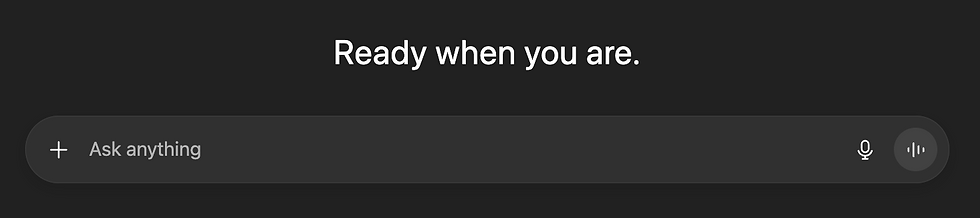
What AI Chatbots Are Good For:
Brainstorming ideas (e.g., "Give me three birthday party themes for a 7-year-old")
Organizing your thoughts (e.g., "Help me plan my week, I’ve got a 3-day weekend”)
Summarizing information (e.g., "Explain cryptocurrency and blockchain like I'm five")
Answering questions (e.g., "What's the difference between a Roth IRA and a traditional IRA? And what’s the best one for me given my age and…")
Creating content (e.g., "Write a thank you note for my friend that helped me cope with a recent loss. They did x, y, and z and I need help describing how meaningful and impactful it was")
The key thing to understand is this: These tools are designed to be conversational. You're not programming a computer. You're just... talking.

The "Blank Page" Problem: Your First Hello
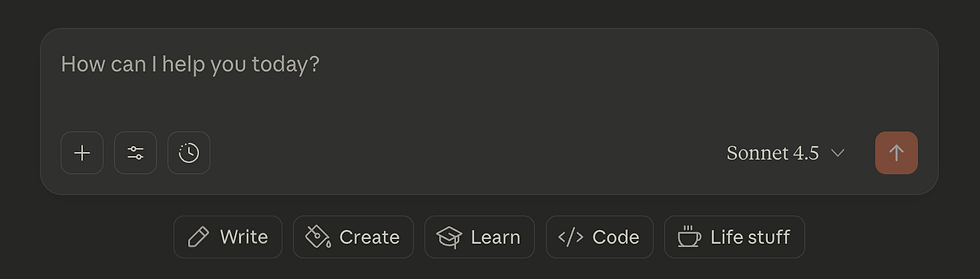
Okay, so you understand what a chatbot is. But now you're staring at that empty text box and thinking, "What do I even say?" This is what I call the "blank page" problem. And it's the #1 reason people procrastinate on trying AI.
So let me make this as simple as possible.
How to Access a Free AI Chatbot (Right Now):
ChatGPT (by OpenAI): Go to chat.openai.com and sign up for free.
Claude (by Anthropic): Go to claude.ai and create a free account.
Gemini (by Google): Go to gemini.google.com and sign in with your Google account.
All three are free to use. All three are beginner-friendly. Pick whichever one you want for your first conversation, it honestly doesn't matter at this stage as you learn some basics.
Exercise 1: The "Warm-Up" (Your First Prompt)
Alright, here's your mission. I want you to pause reading this article, open up one of those tools, and try one of these three prompts:
Prompt 1: The "Fun Explainer"
Explain the plot of the movie [Insert Your Favorite Movie] like I'm five years old. |
Why this works: It's lighthearted, zero-stakes, and proves the AI can simplify complex ideas in a friendly way.
Prompt 2: The "Creative Test"
Write a 5-line poem about a toddler's first experience discovering ice cream. |
Why this works: It shows you that AI isn't just a search engine—it can be creative, playful, and surprisingly funny.
Prompt 3: The "Practical Helper"
What are three fun, low-cost things to do in [Your City] on a rainy day with a best friend? |
Why this works: This is a real question you might actually need answered. It proves AI can give you useful, actionable ideas.
What Just Happened?
If you actually tried one of those prompts (and I really hope you did), here's what you just proved to yourself:
This tool is easy to access. You didn't need to install software or learn code.
It actually understands what you're asking. No tech jargon required.
The answers are useful (or at least entertaining).
That's it. You've officially had your first AI conversation. And I'm willing to bet it felt... kind of normal, right? Maybe even a little underwhelming, because it wasn't as scary as you thought it would be.
That's the point.
Why This Matters (Even If Your First Question Was Silly)
Now, I know what you might be thinking: "Okay, sure, I asked AI to write a random poem. That's fun, but... so what?"
Fair question. Here's the answer:
That same tool you just used for a silly warm-up? It can also...
Help you plan meals for the week (and generate a grocery list)
Organize your schedule so you're not drowning in to-dos
Draft emails to your kid's teacher or your boss
Analyze a bunch of data that you give it, all at once, and create a report.
Brainstorm gift ideas for someone who's "impossible to shop for"
Explain complicated topics like health insurance or mortgage rates in plain English
Summarize long articles or YouTube videos so you can save time
In other words: This isn't about replacing your brain. It's about giving yourself a smart sidekick for all the little tasks (big ones, too) that eat up your time and energy. And the best part? You just proved to yourself that you can use this tool. The hard part (starting) is over.
What Comes Next?
So you've said hello. You've had your first conversation. You've realized this isn't necessarily complicated. Now what?
Well, if you want to unlock the real power of these tools to save you time and make your life easier, then you’ll need to learn how to ask effective questions.
And that's exactly what I'm going to teach you in the next article in this series: "How to Talk to AI: Asking Questions That Get You Great Answers." In that article, you'll learn:
The simple two-part formula that makes AI give you way better responses
How to "talk back" to AI and refine its answers (because the first answer isn't always perfect)
Real-life examples of how to use AI for everyday tasks like meal planning, email writing, and planning a trip or event
Your Homework (Yes, Really)
Before you move on to the next article, I want you to do one thing: Try one more prompt on your own.
It can be anything. A question you've been curious about. A task you've been putting off. A silly hypothetical.
The point isn't to get the "perfect" answer. The point is to build confidence. To prove to yourself that this tool is here to help you, not intimidate you.
And when you do it, I'd love to hear about it. Drop a comment below this article (or send me a message at info@try-ai.net) and tell me what you asked. I'm genuinely excited to hear about your first real AI conversation.
Free Resources to Help You Get Started
If you're feeling motivated and want to keep practicing, I've put together a free downloadable cheat sheet with 10 beginner-friendly prompts you can try this week. No email required. Just head to try-AI.net/bonus-prompts and grab it.
I've also created a companion video tutorial where I walk you through your first AI conversation step-by-step (with real screen recordings so you can see exactly what to do). You can watch that HERE.
Credible Sources & Further Reading:
OpenAI's ChatGPT Official Guide - Introduction to ChatGPT and how it works
Anthropic's Claude AI Documentation - Overview of Claude's capabilities
Google's Gemini Help Center - Getting started with Gemini
Pew Research Center: Americans' Use of ChatGPT - Data on AI adoption among everyday users
MIT Technology Review: AI Explainer Series - Beginner-friendly AI education
Comments