
The AI-powered Meal Plan: Eat Better All Week on Autopilot
Updated: Aug 17

By the time 5:30 rolls around, I've already made a hundred small decisions that day. What to wear the kids in, what meeting to skip, whether the thing on the floor is food or a toy. So when "what's for dinner" shows up, I have nothing left for it. Turns out that's not just a me problem. Researchers note that decision fatigue is real, and food decisions make up a huge chunk of the roughly 35,000 choices we make in a day. No wonder dinner so often ends up being cereal or a $40 delivery order.
I didn't fix this by finding a better recipe app. I fixed it by treating AI meal planning the same way I'd treat handing the job to a person who actually knows my family. Here's what that looks like.
Step 1: Teach Your AI Your Family's Actual Food Preferences
Most people ask an AI chatbot for "healthy dinner ideas" and get back a list that could belong to any household on the internet. That's not an AI meal plan, that's a recipe roundup. What actually worked for me was sitting down and telling the AI our real likes and dislikes, what my family will and won't eat, and one specific rule I wanted it to follow: mostly stick to the meals we already make and like, and only work in something new every week or two. Not a whole new menu every Monday. That one instruction did more to make the plan usable than anything else I tried.
Try This Prompt:
"Here are our family's food likes and dislikes: [list them]. Build me a 5-day dinner plan that mostly rotates through meals we already make and enjoy, and includes just one new recipe for the week so we don't get stuck eating the same five things on repeat. Keep it realistic for a weeknight."Pro-Tip: Push back on the first draft.
The first plan an AI gives you is a draft, not a final answer. If something's off, say so and ask for a swap.
Try This Follow-Up Prompt:
"Swap out [meal] for something that uses a different protein and takes 30 minutes or less."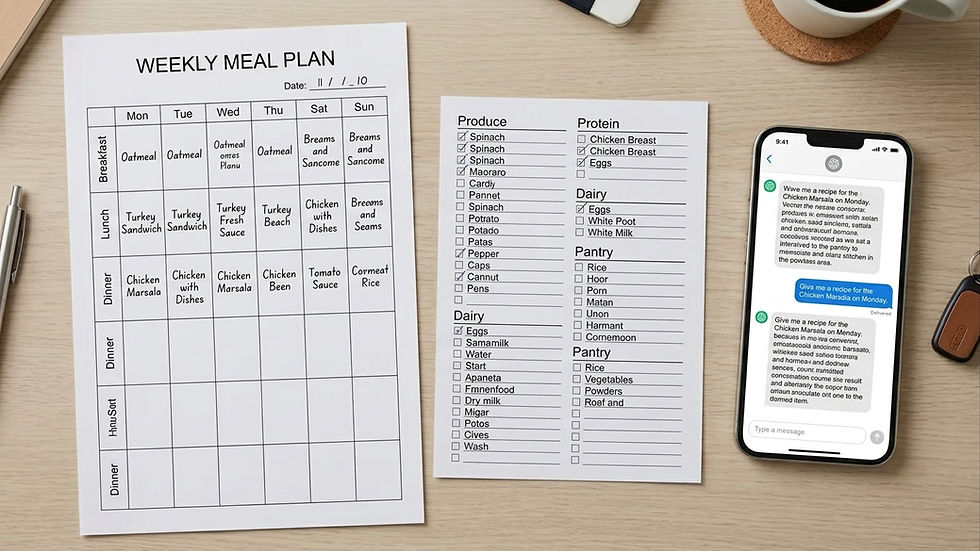
Step 2: Turn the AI Meal Plan Into an Organized Grocery List
A meal plan is only useful if the grocery trip doesn't turn into a maze. Once the plan is set, have the AI build the shopping list from it, grouped by section, so you're not backtracking across the store for one missed item.
Try This Prompt:
"Turn this meal plan into a grocery list organized by section: produce, meat, dairy, pantry, and other."Pro-Tip: Check it against what's already in your kitchen.
This is the step that actually saves money. Tell the AI what you already have on hand, and it'll trim the list and tell you how much you'll need of each item for the week.
Try This Advanced Prompt:
"I already have olive oil, salt, pepper, garlic powder, and onions. Leave those off the list, but tell me how much of each I'll need this week for the recipes."
Step 3: Let AI Run Prep Day and Walk You Through Cooking
Once the plan and the list exist, the AI can help with the actual cooking too. Ask it what to prep ahead of time, and it'll tell you what to chop, marinate, or portion out over the weekend so weeknight cooking goes faster.
Try This Prep Prompt:
"Based on this meal plan, what can I prep on Sunday to make weeknight cooking faster? Give me a step-by-step prep list."When it's time to actually cook, the same chatbot can walk you through a recipe step by step, which is handy on nights when your brain has nothing left to give.
Try This Cooking Prompt:
"Give me simple, numbered, beginner-friendly instructions for [recipe name] from my meal plan."The Real Value Isn't the Recipes
Any recipe site can hand you a list of dinner ideas. What an AI meal plan does differently is remember what you told it about your family and keep building around that, week after week, instead of starting from zero every time you ask. The plan I get now doesn't feel generic because I didn't ask a generic question.
If you try this, don't skip the part where you actually describe your family's preferences in detail. That's the whole difference between a plan you'll actually use and one you'll ignore by Wednesday.


Comments